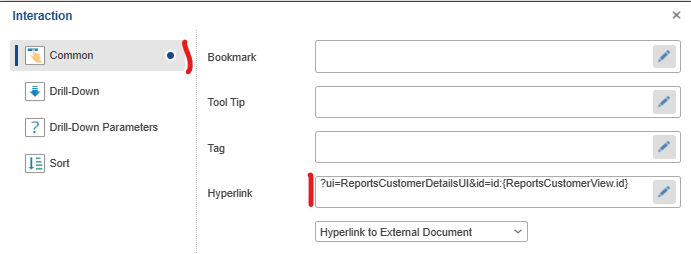
Add a link
The link syntax should start with a ? followed by the Neos link syntax, and use the Stimulsoft template {} syntax to use dynamic values.
For example, to go to a detail page, use the following syntax:
?ui=ReportsCustomerDetailsUI&id=id:{ReportsCustomerView.id}
How adding a link?
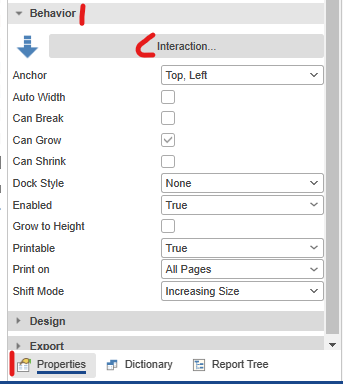
To add a link, you need to go to the Property tab > Behavior > Interaction...
Enter the link in Common > Hyperlink